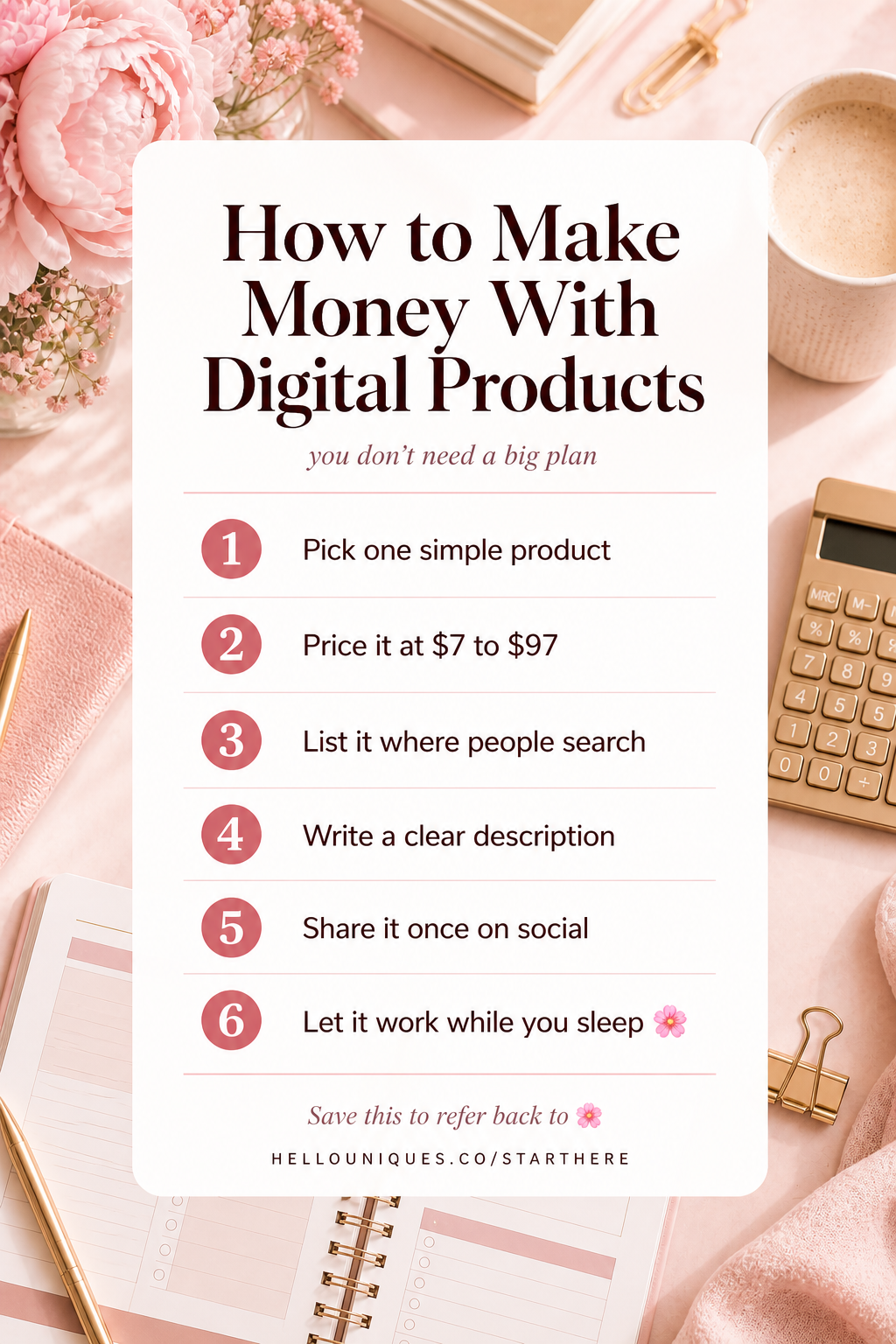
How to Start a Digital Product Business in Just Two Weeks: A Calm System for Beginners
Feeling overwhelmed with a thousand ideas on how to start a digital product business and getting stuck before you even begin? What if you could make your first sale in just two weeks with a calm, clear, and simple system? It’s a common feeling—the excitement of a new venture quickly gets buried under a mountain of tutorials, conflicting advice, and the pressure to build a perfect, six-figure empire overnight.
*Disclosure: I may receive a small commission if you purchase through my links at no extra cost to you — thank you for your support 💕
This guide cuts through the noise. We'll give you a beginner-friendly, step-by-step 2-week MVP (Minimum Viable Product) plan to launch your first digital product. No complex tech, no guru hype—just a quiet, actionable path from idea to your first sale. At Hello, Uniques, we specialize in creating calm and simple business systems for beginners just like you. Our philosophy is built on the belief that progress, not perfection, is the key to escaping the cycle of overwhelm. We've helped countless creators turn their ideas into income by focusing on small, sustainable steps, and this guide distills our proven method into a plan you can start today.
Why a "Calm" System Is Your Key to Success
For a beginner diving into the world of digital products, the biggest enemy isn’t competition or a lack of good ideas—it’s the paralysis that comes from trying to do everything at once. The goal should not be a perfect, massive, flawless launch. The real goal is a fast, simple one that allows you to learn and iterate. Success is found in taking calm, imperfect action.
The trap of perfectionism is subtle but powerful. It convinces you that you need a custom-coded website, a huge social media following, and a suite of ten perfectly designed products before you can even think about making your first dollar. This mindset is precisely what keeps you from starting your digital product business. You spend weeks designing a logo, months debating a niche, and an eternity "researching," all while never actually creating or selling anything. You feel busy, but you’re not making progress.
This is where the 2-Week MVP Sprint comes in. An MVP, or Minimum Viable Product, is the simplest version of your product that you can sell to a real customer. Our framework is designed to get you to your first sale quickly so you can get the most valuable asset of all: real customer feedback. An overwhelmed beginner doesn't need more complexity; you need clarity and momentum. This calm system provides both. Instead of trying to build a mansion, we are going to build a solid, functional, and beautiful tiny home in just two weeks. This approach allows you to test your digital product ideas in the real market without a huge investment of time or money. You can even use simple PLR products (Private Label Rights) as a starting point to get moving even faster. Learning how to start a digital product business for beginners is about embracing simplicity and celebrating the small win of your first sale.
Week 1: Find Your Niche & Validate Your First Product
A successful business isn’t built on a vague hope that “someone” will buy your product. It’s built on a deep understanding of a small, specific audience and a product they genuinely want and need. This week is all about making those crucial first decisions with a clear framework, so you can move forward with confidence instead of getting lost in a sea of possibilities.
The Micro-Niche Decision Framework
The first step is to choose a micro-niche. A broad niche like "fitness" or "productivity" is too crowded and competitive for a beginner. A micro-niche is a smaller, more defined segment of a larger market. Think of it as drilling down to serve a very specific person with a very specific problem.
A simple way to find your micro-niche is the "passions + problems" formula.
1. List Your Passions & Skills: What do you enjoy? What are you good at? What do people ask you for help with? This could be anything from watercolor painting and sourdough baking to organizing Google Drive folders and training a new puppy.
2. List Problems Within Those Passions: For each passion, list the common problems, frustrations, and desires people experience.
3. Connect Them: Draw a line from a problem to a specific type of person.
For example:
* Broad Niche: Fitness Planners
* Passion: 30-minute home workouts
* Problem: Busy moms struggle to plan healthy meals around their workouts and family schedules.
* Micro-Niche: Printable meal planners for busy moms who do 30-minute home workouts.
This level of specificity is your superpower. It makes it easier to create a product that feels tailor-made for your audience and easier to find them. Don't just take our word for it; understanding your specific audience is a cornerstone of business strategy. As the SBA guide to market research and competitive analysis explains, conducting research helps you make smarter decisions about where and how to focus your efforts.
Quick & Calm Validation: How to Know if Your Idea Will Sell
Once you have a micro-niche and a product idea, it's tempting to spend the next month creating it. Stop. Before you invest that time, you need to validate your product idea. Validation is simply the process of getting confirmation that people are willing to pay for your solution. Here are two low-friction ways to test your beginner digital products before you build them.
1. The 24-Hour Pre-Sale Test:
This is powerful for anyone with even a small existing audience (on social media, an email list, or in a community group).
* Step 1: Create a Simple Mockup. Use Canva to create a single, attractive image of what your digital product will look like. It doesn't need to be the final product, just a visual representation.
* Step 2: Write a Brief Description. Explain the problem you're solving and how your product is the solution.
* Step 3: Make an Offer. Post the mockup and description with a clear call to action. For example: "I'm thinking of creating a '30-Day Meal Plan for Busy Moms Who Do Home Workouts.' It would include weekly grocery lists and recipes. I'll be selling it for $15, but for the next 24 hours, you can pre-order it for just $9. If 5 people pre-order, I will build it! Comment 'I'm in!' below to claim your spot."
* Step 4: Collect Payment. If you get interest, send those people a direct payment link (like PayPal or Stripe). If you don't hit your goal, you simply refund the money and let them know the project isn't moving forward. You've just saved yourself weeks of work on an idea that didn't have traction.
2. The One-Question Landing Page:
If you don't have an audience, you can use a simple one-page website.
* Step 1: Use a free tool like Carrd or Gumroad to create a simple landing page.
* Step 2: Write a headline that speaks directly to your micro-niche's problem (e.g., "The Meal Plan That Makes Healthy Eating After Your Home Workout Effortless").
* Step 3: Include a brief description of your proposed product and an email sign-up form with a button that says, "Notify Me When It Launches."
* Step 4: Drive a small amount of traffic to this page (you can post it in relevant Facebook groups or forums where your target audience hangs out). If you get a meaningful number of sign-ups, that's a positive signal to proceed.
These rapid validation methods are core principles of agile development, used by startups and innovators worldwide. The [Stanford d.school Bootcamp Bootleg](https://dschool.stanford.edu/resources/bootcamp-bootleg) is filled with similar rapid prototyping and testing methods designed to help you "learn by doing" and get real-world feedback fast. This is how you confidently sell digital products—by ensuring there's a market before you invest heavily in creation.
Week 2: Create, Price, & List Your Digital Product
With a validated idea in hand, it's time to create and sell your product. This phase is where many beginners get stuck, believing they need to become pro designers or tech wizards overnight. The calm system proves otherwise. This week is about using minimal tools and efficient workflows to get your product created, priced, and listed for sale in just a few days.
Fast Creation: Minimal Tools for Maximum Progress
Your goal is speed and simplicity. You do not need a subscription to every fancy design software. A minimal, low-tech tool stack is all that’s required to create a professional-looking product.
* Canva: This is your design powerhouse. The free version is more than enough to create beautiful planners, checklists, eBooks, and templates. The key is to leverage its massive library of elements and pre-made templates.
* Google Drive (or Dropbox): This is for delivering your product. Once you export your finished product from Canva as a PDF, you upload it to Google Drive and create a shareable link that your customers will receive after purchase.
That’s it. To make this even faster, we recommend starting with editable digital product templates. Instead of designing from a blank page, you can find a template that’s close to your vision and customize the colors, fonts, and text to match your brand and unique content. This can cut your creation time from weeks down to a matter of hours.
The Ethical PLR Customization Playbook
Another powerful shortcut is using PLR (Private Label Rights) products. PLR content is a type of "done-for-you" product that you can legally edit, rebrand, and sell as your own. However, the key is ethical customization. Simply buying a PLR product and reselling it as-is is a recipe for a low-quality offering that won't stand out.
Here’s how to customize PLR products ethically:
1. Change the Branding: Update the colors, fonts, and logos to match your unique brand identity.
2. Rewrite Key Sections: Rephrase the content in your own voice. Add your unique insights, examples, and tips.
3. Add Unique Value: Add new pages, sections, or bonus materials that are entirely your own. For example, if you buy a generic meal planner, add a page with your personal favorite 30-minute recipes.
4. Redesign the Layout: Move elements around, add new graphics, and change the cover to create a product that looks completely different from the original.
Before & After Example:
* Before: A generic, black-and-white PLR daily planner page.
* After: You've changed the font to a friendly script, added a calming pastel color palette, inserted an inspirational quote at the top, and added a unique "End-of-Day Gratitude" section at the bottom. It is now a unique product tailored to your brand.
Using templates and PLR involves understanding the rules around usage. Before you sell anything you didn't create 100% from scratch, it’s crucial to understand the license. The Creative Commons choose a license guide is an excellent resource for learning about the legal and ethical considerations of using and modifying pre-made content, which is essential for both PLR and templates. These low-tech workflows, especially when trying to sell planners on Etsy, can significantly accelerate your path to launch.
Choosing Your Marketplace & SEO for Listings
You don't need your own website to start. Marketplaces are the fastest way to get your product in front of buyers because they handle payment processing and digital file delivery for you.
* Etsy: Best for creative products like planners, templates, and printables. Has a huge built-in audience actively searching for digital products.
* Gumroad: Extremely simple and beginner-friendly. Great for creators who want a straightforward way to sell directly to their audience with a simple storefront.
* Creative Market: More focused on design assets like fonts, graphics, and templates for other creators. Higher barrier to entry but can be lucrative if your product fits.
For a beginner, Etsy is often the best starting point. To succeed, you need to optimize your listing for search. Here's a quick SEO checklist:
* Title: Include your main keywords. Be descriptive. (e.g., "Printable Meal Planner for Busy Moms, Weekly Food Journal & Grocery List, A4/US Letter PDF")
* Description: Clearly explain the benefits, not just the features. Who is it for? What problem does it solve? What's included (file types, sizes)?
* Tags: Use all 13 available tags on Etsy. Think like a customer. What words would they search for? Use a mix of broad terms ("digital planner") and specific, long-tail keywords ("meal planner for workouts").
Writing a clear and persuasive description is critical. The principles outlined in the Purdue OWL writing for the web best practices guide —like using clear headings, bullet points, and front-loading important information—are directly applicable to creating a product listing that converts.
Simple Pricing & Monetization
Pricing is another area where beginners get stuck. Don't overthink it. Find 3-5 similar products in your micro-niche on Etsy and price your product somewhere in the middle. For a simple printable or template, this will likely be in the $5 - $20 range.
You can also consider bundling.
* Single Product: Lower price point, easier decision for the customer. Great for a first launch.
* Small Bundle: Higher perceived value, can increase the average order value. For example, you could bundle your meal planner with a workout tracker and a habit tracker for a slightly higher price.
As you make your first sales, remember that you are now officially a business owner. It's wise to be aware of your financial responsibilities from the start. The IRS small business and self-employed tax center is an authoritative resource for understanding the basics of record-keeping and tax obligations.
The 2-Week MVP in Action: A First-Sale Case Study
Theory is great, but seeing a system in action is what builds true confidence. Let's walk through a realistic case study of "Jenna," an aspiring creator who used this exact 2-week system to get her first sale.
The Creator: Jenna, a full-time administrative assistant who loves organization and helping her friends declutter their digital lives. She feels overwhelmed by the idea of starting a business but wants to earn extra income.
The 2-Week Sprint Breakdown:
* Day 1-2: Niche & Idea. Following the "passions + problems" framework, Jenna identifies her passion (digital organization) and a common problem: her friends are overwhelmed by their messy Google Drive accounts.
* Micro-Niche: Notion templates for creative freelancers to organize their client projects.
* Day 3-4: Validation. Jenna creates a quick mockup in Canva of a beautiful, minimalist Notion dashboard for client management. She posts it in a Facebook group for freelance writers with the 24-hour pre-sale test script. She sets a goal of 3 pre-orders at a discounted price of $12. Within 12 hours, she gets 5 pre-orders. Her idea is validated.
* Day 5-8: Creation. Jenna gets to work. She uses her validated idea to build out the Notion template. She creates a welcome page, a project tracker, an invoice tracker, and a client directory. She also writes a simple PDF guide on how to duplicate and use the template. The total creation time is about 6 hours spread over four days.
* Day 9-10: Listing & Marketplace Setup. Jenna chooses Gumroad for its simplicity. She sets up her account, writes a clear and benefit-driven description for her product listing, and creates several attractive product images in Canva showing different parts of the template in action. She sets the final price at $19.
(Imagine a screenshot here of Jenna's clean Gumroad listing, with a clear title: "The Freelancer's Client Hub: A Notion Template for Project & Client Management.")
* Day 11: The Soft Launch. Jenna emails the 5 people who pre-ordered, delivering their product via a private Gumroad link. She also sends the public link to 10 other freelancer friends to get their feedback.
* Day 13: The First "Real" Sale! One of the friends Jenna shared the link with posts it in another small, private community for virtual assistants. That afternoon, Jenna gets an email notification.
(Imagine a screenshot here of the classic Gumroad "You've made a sale!" email notification, showing the product name and a sale of $19.)
The Final Metrics:
* Time Spent: Approximately 10-12 hours over two weeks.
* Initial Cost: $0 (used free versions of Canva, Notion, and Gumroad).
* First Fortnight Revenue: $60 (from 5 pre-orders) + $19 (from the first organic sale) = $79.
This first $19 sale wasn't life-changing money. But for Jenna, it was everything. It was proof that she could create something of value, that people would pay for it, and that starting a digital product business wasn't an insurmountable mountain after all. This is the power of the calm, 2-week MVP system.
Conclusion
Starting a digital product business doesn't have to be an overwhelming journey defined by perfectionism and delay. The path from idea to income can be short, clear, and calm. By focusing on a narrow micro-niche, validating your idea before you build, using simple tools, and launching a Minimum Viable Product on an established marketplace, you can make your first sale in just two weeks. This first sale is the most important one—it's the proof of concept that builds the momentum you need to grow. A calm, simple, and actionable system is the key to getting unstuck and finally making progress.
Feeling clearer and ready to take the first step?
Start here and start building your simple system today.
---
FAQ Section
What is the easiest digital product to sell for a beginner?
The easiest products are those that require minimal technical skills and solve a clear, specific problem. Focus on simple planners, templates, checklists, or short guides. These can be created quickly using user-friendly tools like Canva, they have a proven market, and they provide immediate value to the customer without a steep learning curve for you.
Do I need a website to sell digital products?
No. As a beginner, it's faster and more efficient to start on a marketplace like Etsy or Gumroad. These platforms handle the crucial infrastructure of payment processing and secure file delivery for you. This allows you to focus your limited time and energy on what really matters at the start: creating a great product and crafting a compelling listing. You can always build a website later as your business grows.
How much money can I make selling digital products?
The earning potential is significant, but it's important to have the right initial goal. The primary objective of this 2-week system is to help you make your first sale. This crucial milestone proves your concept and builds vital momentum. From that first sale, you can begin to scale by adding more products, refining your marketing, or exploring advertising. But the first step is proving the model works with a single, simple product, turning the abstract idea of "making money online" into a tangible reality.
Cheering you on,
Hello, Uniques | hellouniques.co/shop | hellouniques.com
Where Dream Is Achievable
P.S. Selling doesn’t have to mean hustling. If you’re ready to create income from what you already know — this is such a beautiful place to begin.
*Disclosure: I may receive a small commission if you purchase through my links at no extra cost to you — thank you for your support 💕